We brought receipts.

One homeschool year.
One system. About time.

One state-aware system that runs the whole year — the planning, the law, the funding, the trips, and the record that ties them together. Here's a look at the parts.

Take the tour below.

What's actually in the box

Each part could stand on its own. We built them to work as one.

The point isn't being a little better at any one of them — it's that the plan, the law, the money, and the trips share one brain that knows your state.

A closer look at the parts.

Field Trip Finder

Most "field trip" tools hand you a list of art museums and call it a day.

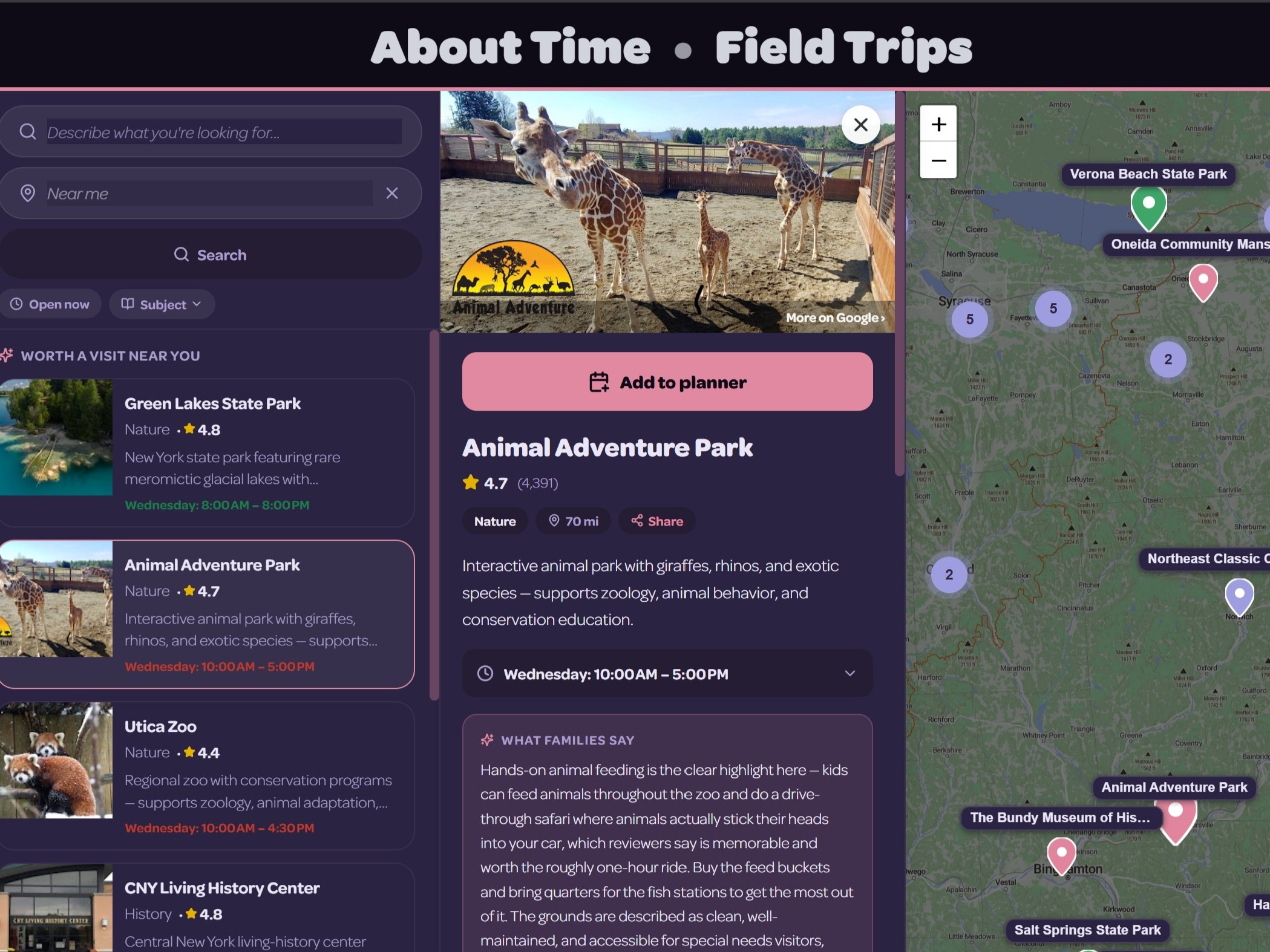
Ours maps over 24,000 destinations nation-wide, every one classified by subject — a history week surfaces battlefields and living-history sites, a science week surfaces planetariums. Each pin pulls live Google data on click: hours, reviews, directions. A working map of where your kids can actually go this week, not a brochure.
abouttime.app/field-trip-finder/map
The field-trip map: subject-classified clustered pins across a metro, with the search sidebar showing the curated results.
24,000+ classified
Planner

A plan that bends, and never breaks.

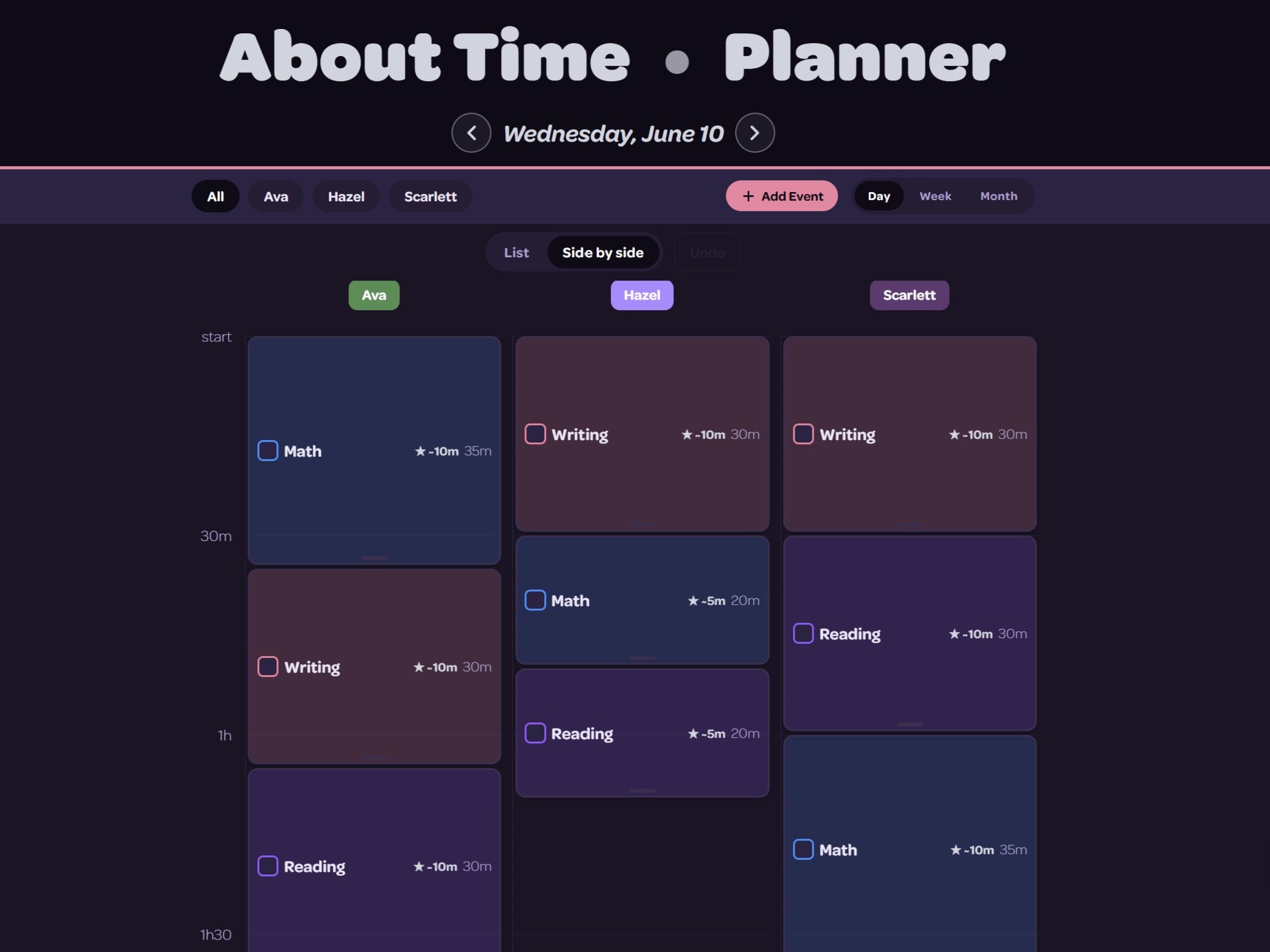
Life happens. Don't sweat it. Invite it. Losing a day doesn't mean making it up on a Saturday or pushing the school year out. Build in light days; anything you bounce spreads across the year. A sudden vacation invite in 2 months? Next week's lessons run 2 minutes longer. Put in extra time today and it comes off future rolls. Life made simple.
abouttime.app/planner
The side-by-side planner timeline for the day, with the ①②③ visit-order badges on the hands-on lessons.
①②③ visit order
The Classroom

The engine room of this well-oiled machine.

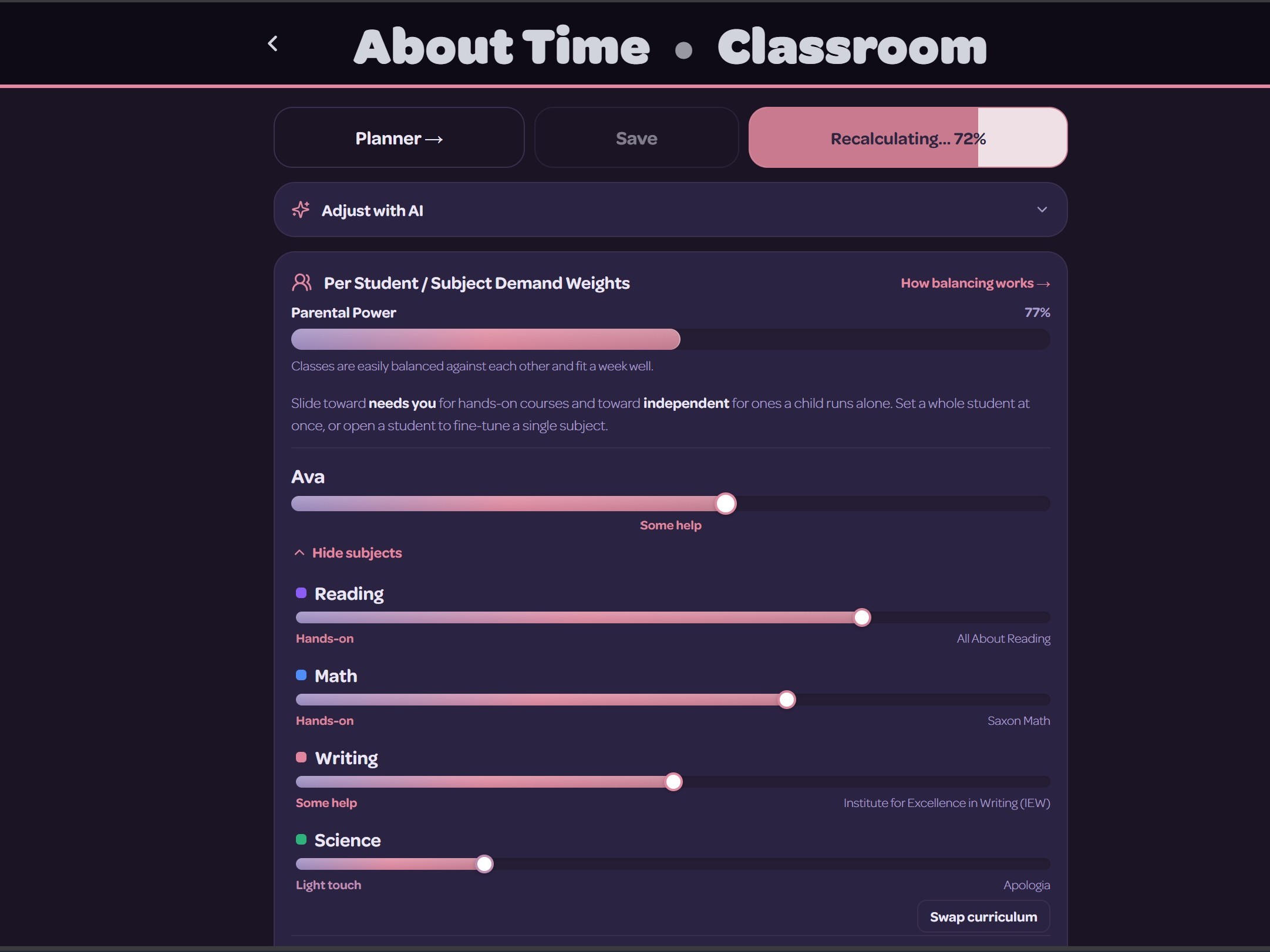
A few sliders tell us how involved you need to be in each of your children's subjects, so one child's heavier-lift subject runs in parallel with another's more independent study. Day after day, week after week — re-adjusted every time you have to bounce a day, or a class, into the future.
abouttime.app/children · Classroom
The Classroom “Schoolhouse Flow” panel with the per-child, per-subject hands-on demand sliders.
Needs you ⇄ Independent
Logbook

Logging should take seconds. It shouldn't be a second job.

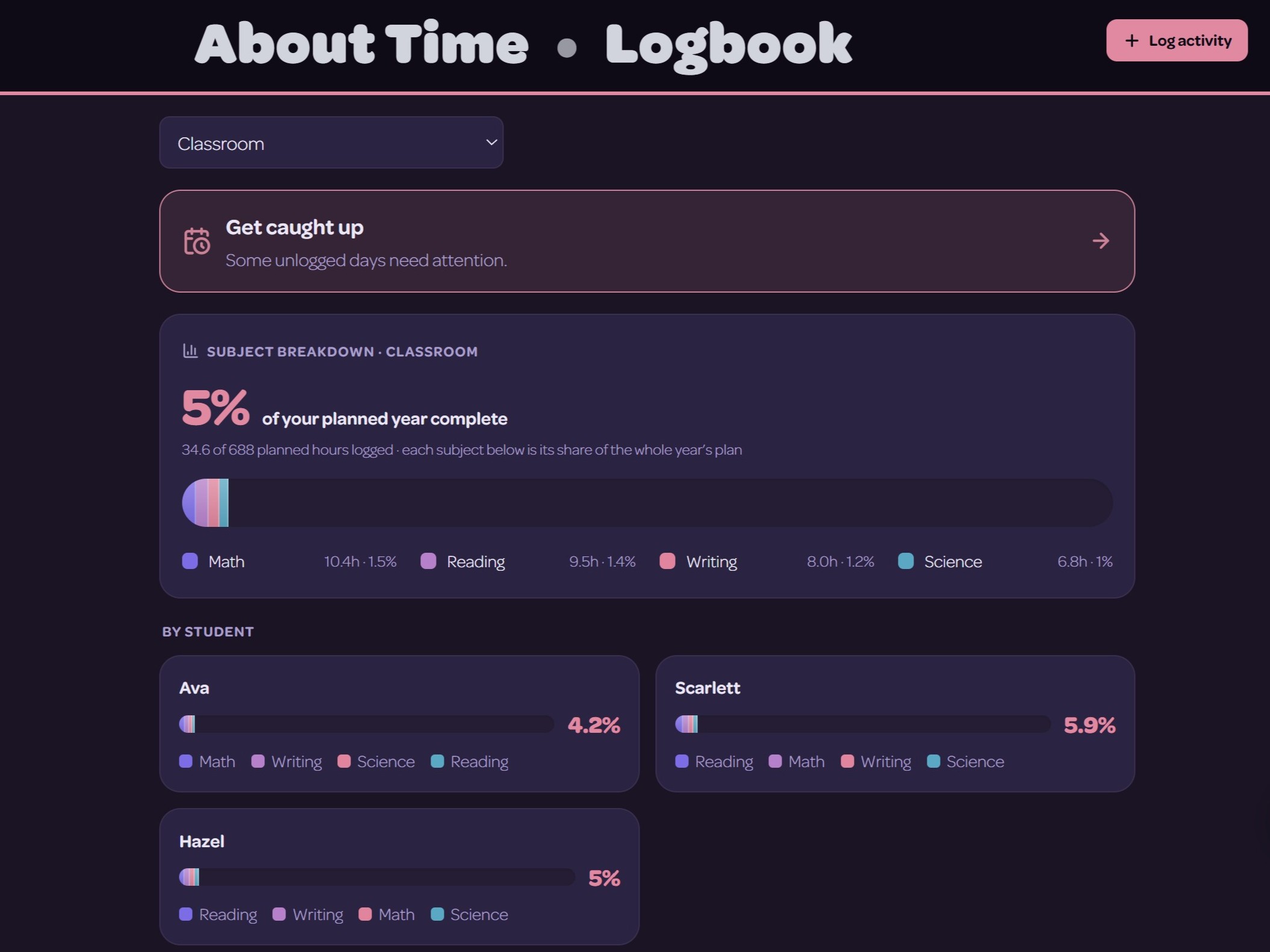
Complete planner events in a click. Snap a photo of a child's work and AI writes down what it is — keeping the record current without you playing secretary. Speak what you did and it lands on the right kid and subject; switching mid-year, Easy-On imports what you've already kept. One export later, it's the transcript.
abouttime.app/logbook
The logbook with the day's logged hours and the per-subject rings / subject breakdown.
Snap · speak · import
State Requirements & Filings

The rules that govern your homeschool change.

And most families find out too late — buried in a Facebook thread, after a deadline. We track what your state requires, alert you in time to act before the date, and file Notices of Intent from inside the app — the record the state expects, kept where you already work.
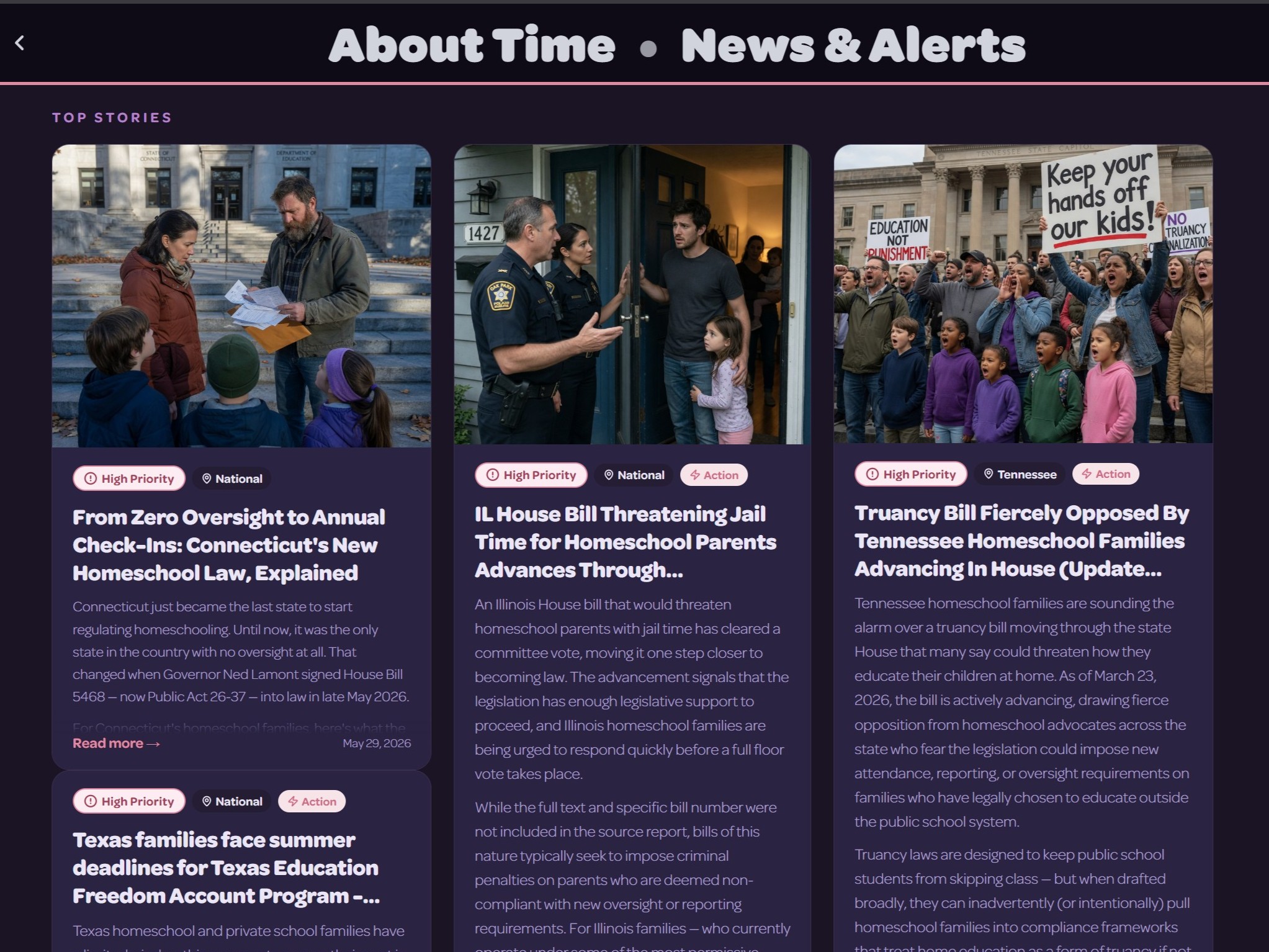
abouttime.app/news
The News & Alerts feed showing a recent state law / requirement-change story (the alert + “why now” callout).
ESA Wallet

The hard part isn't spending the money — it's proving how you spent it.

Capture a receipt at the moment of purchase, tag it, and keep a clean ledger of every dollar — so reimbursement season is an export instead of a shoebox. It doesn't file into the state portal for you, but when the program asks you to account for the year, the answer is ready.
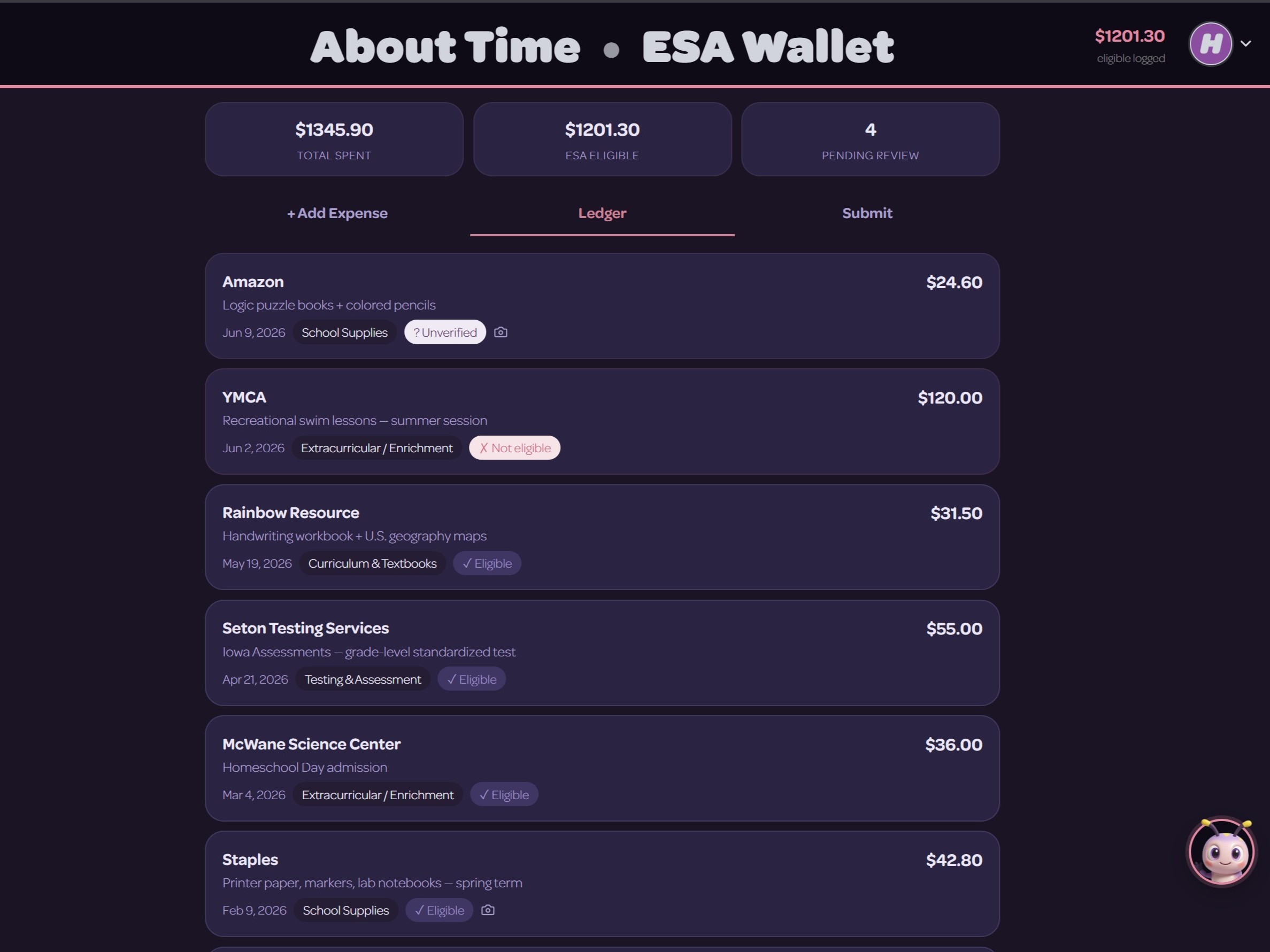
abouttime.app/funding
The ESA Wallet: a funding tracker with application status, renewal dates, and the receipt/expense ledger.
Curriculum Finder

Most "which curriculum?" quizzes are three questions and a sales pitch.

Ours scores 107 programs against your family — worldview, subjects, grade band, budget, format, learning differences, teaching style — weighing all of it at once. The result is deterministic and explainable, with reasoning you can inspect, instead of a black box recommending whatever's being promoted.
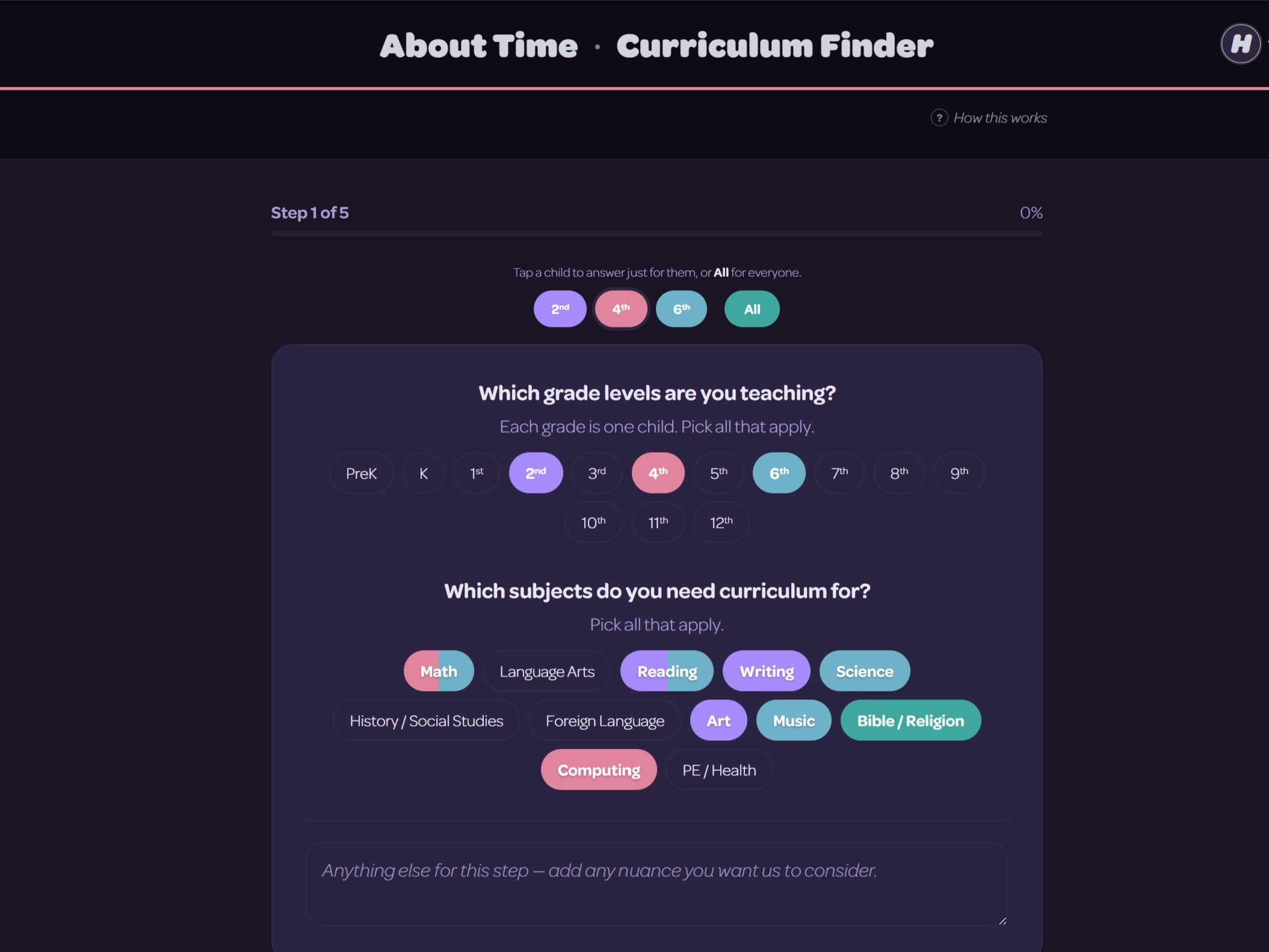
abouttime.app/curriculum-finder
The Curriculum Finder quiz — a full matching quiz matched to your child's learning style and your family's values.
Privacy & Data

Your children are never the product —
by design.

The parent is the account holder — no child ever logs in, full stop. The Logbook keeps descriptions of the work, not a cloud album of your kids' faces, and the community layer carries no photos at all. Privacy here is the architecture, not a policy page.

Timethy

It acts, not just answers.

Ask it to shift this week's plan, log yesterday, or fix a subject's pacing, and it makes the change — then keeps a snapshot so one click takes it back. Chatbots that talk are everywhere; one that does the work, and can cleanly undo it, is the difference.
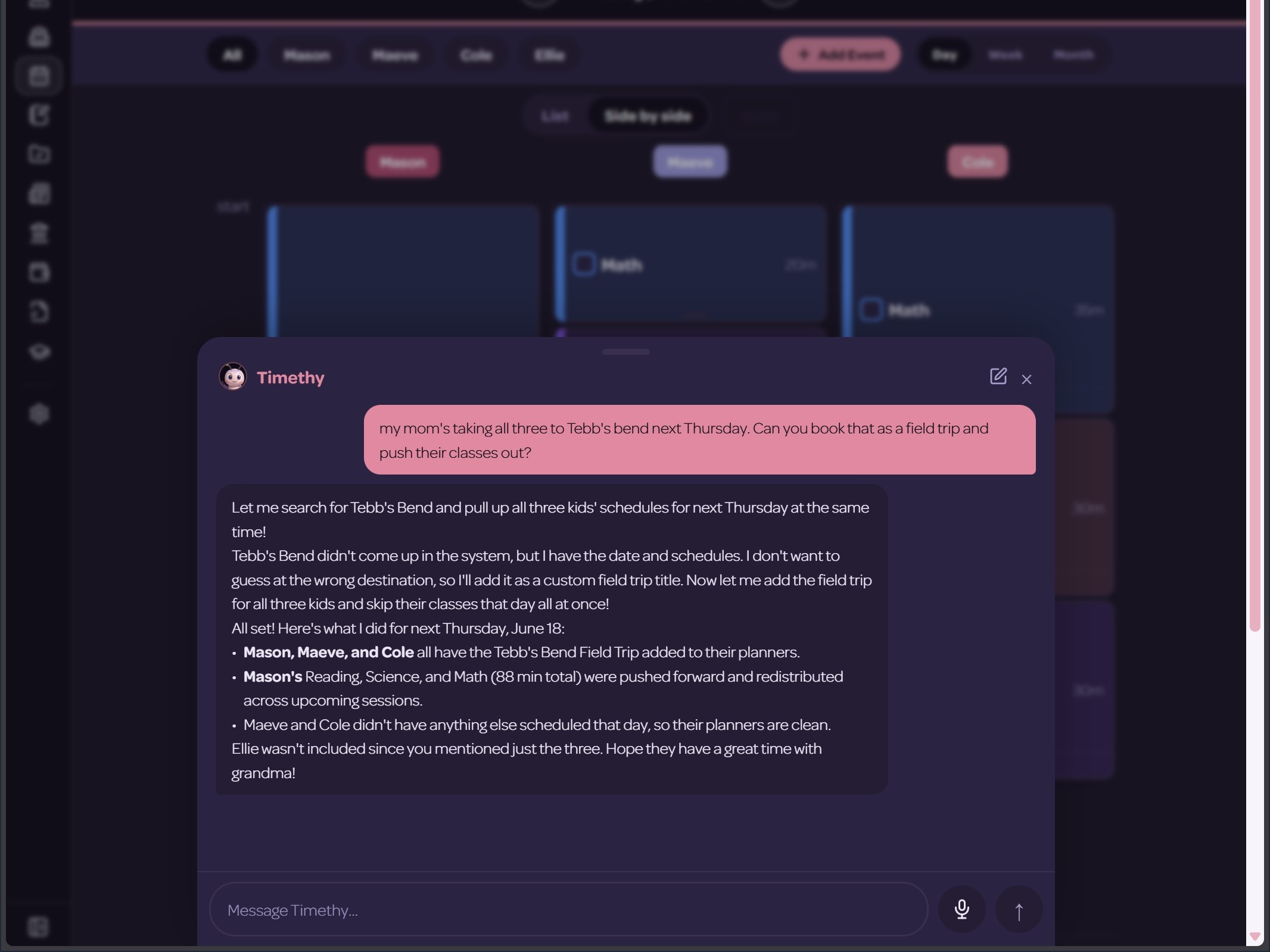

abouttime.app · Timethy
The Timethy AI assistant mid-task — making a real change to the plan, with the undo affordance visible.

The receipts

Nearly 150,000 data points
bind this system together.

We're sitting on a mountain of data that is updated daily to make sure you stay on top of your year and sleep well at night.

The comparison

Who does what — and who does it all.

Does it well Partial Doesn't
Comparison of homeschool tools against what a family actually needs. About Time is the only column that does every row.
What a family actually needs About TimeAll of it Numa SchoolMarkets it Homeschool PlanetPlanner Homeschool TrackerRecords HSLDAState law Homeschool LedgerAll-in-one ClassWallet / OdysseyESA money Time4LearningCurriculum
Plan & schedule the week parent-awareYes — parent-aware claims itLimited — claims it Yes basicLimited — basic No basicLimited — basic No No
Daily logbook & attendance type / snap / speakYes — type, snap or speak claims itLimited — claims it Limited Yes No Yes No auto-logs its lessonsLimited — auto-logs its own lessons
Transcripts & permanent records Yes claims itLimited — claims it Limited Yes No Yes No No
Know your state's requirements drives the appYes — drives the app info pagesLimited — info pages No No referenceYes — reference built-inYes — built-in No No
NOI & filing deadlines, in-app renewal-awareYes — renewal-aware No No No referenceLimited — reference flags itLimited — flags it No No
Match curriculum to each kid honest matcherYes — honest matcher plans, not matchesLimited — plans, not matches No No No No No sells its ownLimited — sells its own
ESA: balances, deadlines, receipts tracks & organizesYes — tracks and organizes claims itLimited — claims it No No No No spends itYes — spends it No
Field-trip discovery, subject-classified 24,000+ classifiedYes — 24,000-plus classified No No No No No No No
Child-safe social only usYes — only us No No No No No No No
Adapts to your state automatically Yes auto-populatedLimited — auto-populated No No No has the dataLimited — has the data No No
Everything in one place the whole pointYes — the whole point markets itLimited — markets it No No No tries toLimited — tries to No No

Each one is good at its one thing. We don't win by being a little better at lesson planning — we win by being everything in one place.

The point of all this

We already built
the thing.

The point is the loop: plan the week, log it by photo or voice as you go, and what you logged becomes the transcript an evaluator asks for — while the alerts tell you what to file, and you file it without leaving the app. Plenty of products do one of these things. Only here does the whole year flow from planning to proof.